
Made withHyperBlog
Best Help Center Software for SaaS Teams: Selection by Support Model

Best Documentation Platforms for SaaS Teams in 2026
Documentation Platform Migration Checklist: A Plan for Existing URLs
Knowledge base software requirements should start with the work the system must support, the people who may see each answer, and the evidence a buyer will use to verify the product. For a SaaS company, the minimum evaluation covers audience separation, permissions, content governance, review controls, search quality, analytics, integrations, and export. A feature checklist alone is weak evidence. Each requirement needs a test, an owner, and an acceptable result.
This framework is for support, product, security, and documentation leaders comparing a platform before purchase. It does not rank vendors. It also keeps internal employee knowledge separate from customer-facing help content, even when one system can publish both. That separation protects the decision from vague promises and reduces the risk of choosing a tool that looks complete in a demo but fails in daily operations.
A useful requirement has five parts: a reader job, a risk, a capability, a proof method, and a decision owner. “Strong search” is too broad. “A support agent can find the approved refund procedure using the terms customers actually use, while a customer cannot retrieve the internal escalation path” can be tested.
Write the acceptance test before the vendor demo. Ask the vendor to use a representative content set and identities with different roles. Record what happened, which configuration was required, and whether the behavior depends on a higher plan or custom work. This creates comparable evidence across products and prevents the most polished demonstration from defining the scorecard.
Start with an audience map. SaaS teams commonly maintain public setup guidance, authenticated customer help, employee procedures, partner material, and restricted operational content. The software should let you define these audiences without copying the same source into uncontrolled variants.
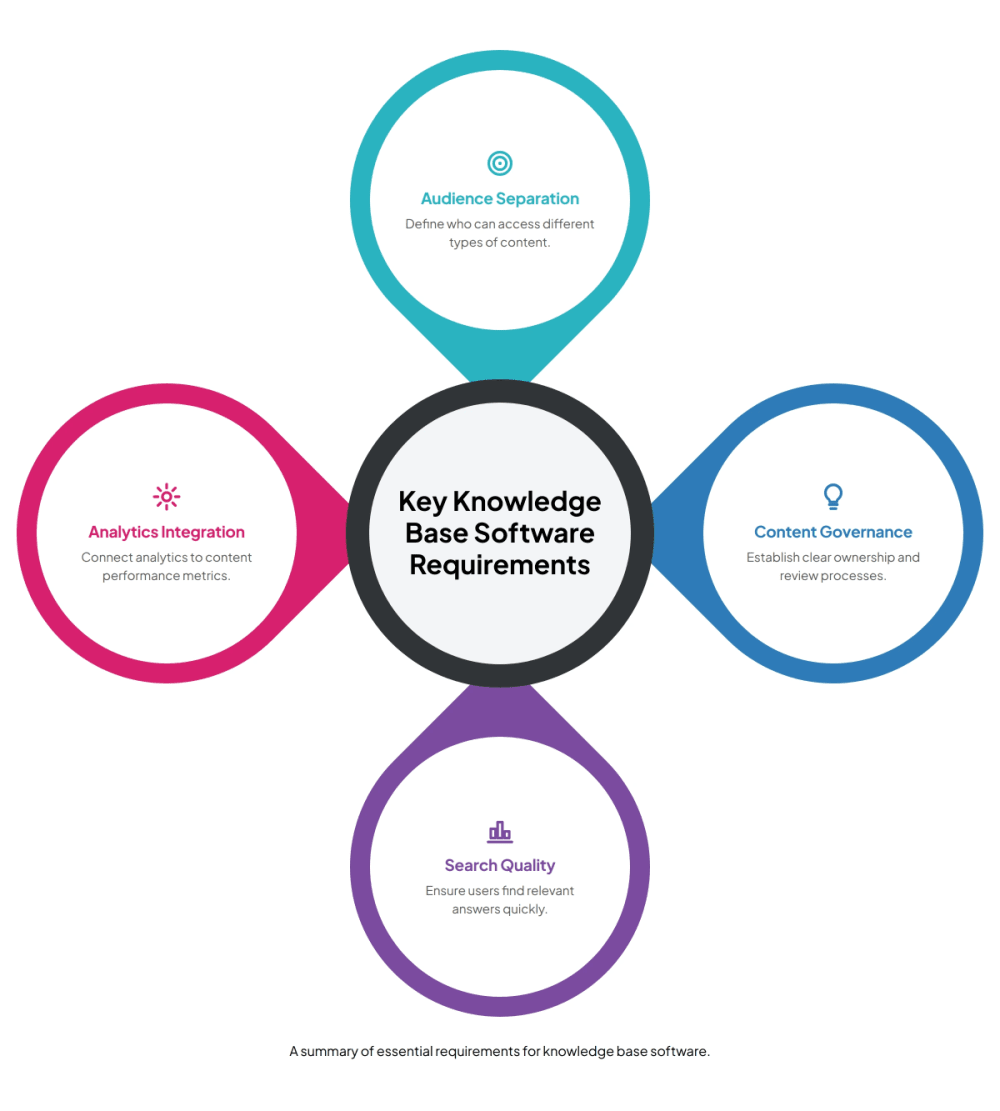
For every content type, specify who may read it, who may edit it, who may approve it, and where it may be surfaced. Include search results, AI-generated answers, notifications, exports, and APIs in the boundary. A page-level lock has limited value if the same text can appear through a search index or answer tool.
Acceptance test: create one public article, one employee article, and one privileged runbook with similar terminology. Test direct URLs, search, related-content widgets, exports, and any answer interface as each role. The result should match the policy in every channel.
Knowledge needs visible states such as draft, in review, approved, published, superseded, and archived. The names may differ, but the platform should preserve who changed the content, what changed, who approved it, and which version readers currently see.
The Consortium for Service Innovation’s KCS guidance treats article state as a signal about audience, confidence, and governance across the content lifecycle. That makes state more than an editorial label. It affects whether people should rely on the answer and who may receive it.
Require ownership metadata, review triggers, archival behavior, and an exception path for urgent corrections. Verify whether reviewers can compare versions, request changes, and prevent publication until required approvals are complete. A calendar reminder is useful, but product releases, policy changes, and repeated support failures should also be able to trigger review.
Editors need structured headings, links, media, reusable elements, and accessible output. Support teams also need a low-friction path for proposing a correction without gaining broad publishing rights. Product and engineering reviewers need enough context to validate behavior, versions, permissions, and code examples.
Map the workflow from a reported gap to an approved update. Check assignments, comments, approval rules, preview, scheduled publication, rollback, and audit history. If the platform uses AI to draft or revise content, require source visibility and human approval. The reviewer must be able to reject a suggestion, edit it, and verify the final output before publication.
Acceptance test: submit a correction from a support ticket, route it to the content owner and a subject-matter reviewer, reject the first draft, approve the revised version, publish it, and restore the earlier version. Record every manual step and every missing control.
Search requirements should cover more than whether a query returns results. Evaluate relevance, synonyms, filters, version awareness, typo tolerance, permissions, stale-content handling, and no-result behavior. If the platform provides generated answers, test citation quality, refusal behavior, and whether restricted sources are excluded for unauthorized users.
Build a small test set from real reader tasks. Include exact titles, customer language, ambiguous terms, old product names, permission-sensitive questions, and questions the knowledge base should not answer. Define the expected page or expected refusal before running the test.
The purchase requirement should name the reporting unit. A team may need query-level results, zero-result searches, clicked pages, answer feedback, and role-aware failure data. Aggregated search traffic alone cannot show whether high-risk queries return the right content.
Analytics should help owners decide what to write, revise, merge, restrict, or retire. Ask whether the platform can show failed searches, low-engagement pages, negative feedback, repeated answer questions, content age, review status, and the path from a query to a useful page.
Define a decision for each metric. A zero-result query can create a content-gap review. Repeated visits followed by a support contact can prompt a task analysis. Old content with no owner can enter an archival queue. Without an action and owner, a dashboard becomes passive reporting.
Vote for the most crucial feature in knowledge base software.
Which feature do you prioritize?
Check data scope and retention. Confirm whether exports contain raw events or only summaries, whether identities are available or intentionally removed, and whether the data can be segmented by audience, workspace, language, version, or product area. Security and privacy reviewers should approve the event model before rollout.
Permission requirements need to cover authentication, groups, roles, content restrictions, inherited access, temporary access, administrative privileges, APIs, search, and integrations. Map access to job responsibilities and test what happens when a user changes teams or leaves the company.
OWASP recommends denying access by default and validating permissions on every request. Apply that principle to the knowledge system itself and to every surface that retrieves its content. A cached result, export, integration, or answer interface should not bypass the current authorization decision.
Acceptance test: remove a user from a restricted group and verify access through the page URL, search, API, export, shared link, and generated answers. Then restore only the minimum role needed. Ask for audit evidence showing both changes.
List the systems that create or change knowledge: product repositories, ticketing, chat, identity providers, customer portals, analytics, and release tooling. For each integration, define the direction of data flow, the permissions granted, the failure behavior, and the owner.
A connector should support the workflow without silently creating a second source of truth. Check how conflicts are resolved, how deleted content is handled, whether links remain stable, and whether a failed sync is visible. If an integration can publish automatically, require a review mode or a narrowly defined exception with audit logs.
Run one end-to-end change. Update a product term in the source, identify the affected articles, draft the correction, review it, publish it, and verify search. Record which parts are automatic and which require judgment.
A buyer should know how to leave before signing. Require exports for body content, hierarchy, metadata, attachments, redirects, versions, authorship, permissions, and comments when those records matter. Ask whether export is self-service, plan-gated, rate-limited, or dependent on professional services.
Official Atlassian guidance, for example, documents several Confluence export formats and separately warns that some group-based permissions may be lost during an import unless matching groups exist. The lesson is broader than one product: content portability and permission portability are different tests.
Acceptance test: export a representative space, inspect the files, import them into a clean environment or neutral parser, and reconcile counts for pages, attachments, metadata, and restricted items. Document what must be rebuilt and estimate the operational dependency without accepting a vendor’s general assurance.
At minimum, define audience separation, permissions, lifecycle and approvals, authoring, search quality, analytics, integrations, security controls, and export. Give each requirement an owner, a proof method, and an acceptable result.
Use the same weighted scorecard and representative content for every platform. Score demonstrated behavior, record plan dependencies and manual workarounds, and treat security or access failures as hard gates where appropriate.
Build a task-based query set that includes customer language, synonyms, typos, old product terms, version-specific questions, restricted content, and no-answer cases. Define the expected page or refusal before testing.
Requirements commonly include identity-provider integration, groups and roles, inherited and page-level restrictions, administrative controls, audit history, and consistent authorization across pages, search, APIs, exports, shared links, and generated answers.
Test export of body content, hierarchy, metadata, attachments, stable URLs or redirect data, versions, authorship, and permissions when those records matter. Verify the files in a clean environment instead of relying on a general portability claim.
It can, provided the platform proves clear audience boundaries and enforces them across every retrieval path. Evaluate shared authoring benefits separately from permission, search, answer, export, and governance risks.
Score requirements by business risk rather than counting features. Use four evidence levels: 0 for absent, 1 for a manual workaround, 2 for a demonstrated standard capability, and 3 for a capability proven with your content, roles, and workflow. Multiply the evidence score by an agreed weight.
A practical scorecard can include audience separation, least-privilege access, lifecycle and approvals, authoring quality, search relevance, answer safety, analytics, integrations, accessibility, localization, administration, reliability, and export. Add a hard gate for any requirement that cannot be traded away, such as restricted-content isolation or a required identity provider.
Record commercial facts beside the operational score: plan limits, implementation services, storage, API access, support, data location, contract term, and the date each fact was checked. Keep price separate from capability so a lower quote does not hide a failed security or workflow gate.
Use a compact proof that includes the hardest content and roles, rather than a clean sample library. Include one public guide, one employee procedure, one restricted runbook, one versioned technical page, an attachment, a stale article, and a page that should be archived. Add users from support, product, documentation, security, and an external audience.
Give each participant a task and expected result. Measure whether they can find the right answer, recognize its status, propose or approve a change, and avoid restricted material. Capture configuration effort, failure recovery, and administrative burden. A successful proof ends with evidence against the requirements, open risks, owners, and a decision.
For customer-facing product documentation and support content, review Hyperdocs’ help center software as the commercial owner of that use case. Keep that evaluation separate from internal knowledge base procurement until any internal product capability is publicly available and verified.
The strongest knowledge base software requirements describe outcomes the buying team can observe. They protect audience boundaries, require accountable review, test search with real tasks, connect analytics to action, enforce permissions across every retrieval path, and preserve an exit route.
Before purchase, convert every high-priority statement into a proof step and assign a reviewer. The final recommendation should show passed gates, accepted workarounds, unresolved risks, and the commercial assumptions checked on a specific date. That record becomes the implementation plan after the contract is signed.
Subscribe to Our Newsletter
Stay up to date with our latest news and updates.