
Made withHyperBlog
Docusaurus Cost Guide for SaaS Teams: Hosting, Search, and Maintenance
Best ReadMe Alternatives for Product and API Documentation

7 Best Docusaurus Alternatives for SaaS Documentation Teams
GitBook and Mintlify can both support a SaaS team that needs visual editing alongside Git. The useful choice depends on who contributes, how changes reach production, which AI workflows you need, and what those workflows cost. Start with a representative release and compare the evidence each platform gives your reviewer.
GitBook deserves consideration when writers and developers need different contribution paths into shared documentation. Mintlify deserves consideration when a team wants Git-backed publishing, an API playground, and AI-assisted maintenance within its documentation workflow. Neither description establishes a universal winner.
Method and disclosure: Hyperdocs publishes this comparison. We checked the vendors’ official pricing, documentation, and release notes on November 3, 2026. This is a source-based assessment with a proposed buyer pilot, not a completed hands-on trial or performance benchmark. Prices and product packaging can change.
Use one SaaS release as the buying scenario. A product manager changes a setup step, an engineer updates an API parameter, and support identifies a missing troubleshooting answer. The documentation owner must collect those changes, verify them, and publish them together.
An attractive editor only solves part of that job. A stale setup step can send a customer to support, slow onboarding, and weaken trust in the rest of the documentation. Treat review and freshness as operating requirements alongside page design.
Decision area | GitBook: documented fit | Mintlify: documented fit | What your pilot should establish |
Contribution | Visual editing and two-way GitHub/GitLab sync | Visual and source editing backed by Git | Can each contributor complete a real change without a developer translating it? |
Release control | Git branches and review can connect developer and writer work | Feature-branch work stays unpublished until it reaches the deployment branch | Can you hold a change for the correct release and recover from a mistake? |
AI workflow | Evaluate Channels for turning work conversations into documentation changes | Evaluate the agent for repository-informed edits and its configured approval path | Does a reviewer receive enough evidence to verify the proposed change? |
Commercial fit | Model site fees, paid users, the required tier, and AI allowances | Model the required plan, billing term, shared AI credits, and usage | What is the annual cost of your actual workflow? |
The capabilities in this table are documented in GitBook’s Git Sync overview, Mintlify’s editor documentation, and the AI sources below. The final column is a proposed test, not a report of observed results.
Source highlight: GitBook documents two-way synchronization with GitHub and GitLab, allowing developers to work in Markdown while other contributors use its visual editor. Its Git Sync overview also describes branches, reviews, and merges.
That makes GitBook a plausible fit for a mixed team. In your pilot, ask a product manager to revise a task guide while an engineer changes a related example through Git. Inspect the resulting diff together. Check whether the reviewer can see the relationship between both edits and the release that needs them.
Git synchronization does not establish that a page still matches the product. Assign someone to verify the instructions against the released behavior, including permissions and error cases. A clean merge can still publish an incorrect step.
Source highlight: Mintlify’s editor guide describes visual and source modes, real-time collaboration, and Git-backed changes. Saving and publishing are separate actions; work on a feature branch remains unpublished until merged into the deployment branch.
Avoid evaluating Mintlify as though every contributor must write Markdown in an IDE. Test its current editor with the people who will maintain the content. Ask a writer to change navigation, a product manager to update a procedure, and an engineer to review the API example.
For either vendor, record the configured publication path, who can approve a change, and who owns a failed deployment. If your team has not settled these responsibilities, use the SaaS documentation tool evaluation guide to define requirements before comparing interfaces.
AI writing, maintenance agents, and reader-facing answers are different buying requirements. Evaluate each against a defined task. A polished draft does not show that a reader answer cites the right page, or that an agent has permission to publish safely.
GitBook’s April 30, 2026 release notes describe Channels across Slack, GitHub, and Linear. Support mode answers questions; collaboration mode proposes documentation changes as reviewable change requests with links back to their source context. The announcement places Channels on Ultimate.
This is relevant when decisions and repeated questions already appear in those channels. Test whether a reviewer can distinguish a tentative discussion from an approved product decision. Require confirmation of the final behavior before accepting a proposed update.
Choose the requirement you would weight most heavily in your team’s pilot. Responses are reader preferences, not product test results.
Which requirement matters most in your GitBook vs Mintlify decision?
According to Mintlify’s agent documentation, the Pro and Enterprise agent can use documentation, connected repositories, and supplied context to propose changes. It can create a pull request or push changes directly, depending on configuration. Choose a review path deliberately and verify it in the pilot.
For an API change, give each system the same approved source material. Ask the reviewer to check parameter names, defaults, examples, and access requirements. Record missing evidence and corrections. Keep those observations separate from vendor claims and do not infer accuracy from the presence of an AI feature.
Pricing checked November 3, 2026: GitBook’s pricing page lists Essential at $65 per site per month and Ultimate at $249 per site per month, plus $12 per paid user per month, billed annually. For one site and three paid users, those base examples are $101 and $285 per month, respectively. Essential includes 2,000 monthly AI credits; Ultimate includes 10,000. Confirm the tier required for each capability.
Mintlify’s pricing page lists a free Starter plan with five editor seats, a custom domain, web editor, Git sync, MCP, and an API playground. Pro is $450 per month with annual billing, or $540 with monthly billing, and includes unlimited editor seats and 10,000 monthly AI credits. Enterprise uses custom pricing.
These are illustrative base prices, not equivalent bundles. Compare the cheapest configuration that meets your requirements, including billing commitment, additional usage, taxes, and any negotiated terms. A free publishing plan and an AI maintenance plan answer different budget questions.
Source highlight: Mintlify’s credit documentation describes a shared organization balance. Answered assistant questions consume 25 credits; an automation run that creates changes consumes 250. Agent use in the editor and Slack does not consume credits. Raw credit totals across vendors are therefore insufficient for comparing useful work.
Build an annual worksheet with separate lines for subscription, sites, contributors, AI usage, migration, and ongoing review. Estimate labor from your pilot and label it as your estimate. Include the time spent correcting generated text, handling merge conflicts, and checking a release. Avoid assigning invented savings to either vendor.
Use a small, representative collection: a getting-started page, a task guide, a troubleshooting article, and an API reference page. Include a changed setup step and a deprecated parameter. Use approved sample material without production secrets.
Name a documentation owner, a product reviewer, and an engineering reviewer. Agree on required capabilities and their weights before testing. Make a missing approval control a pass/fail requirement if your release process depends on it; do not bury it in an average score.
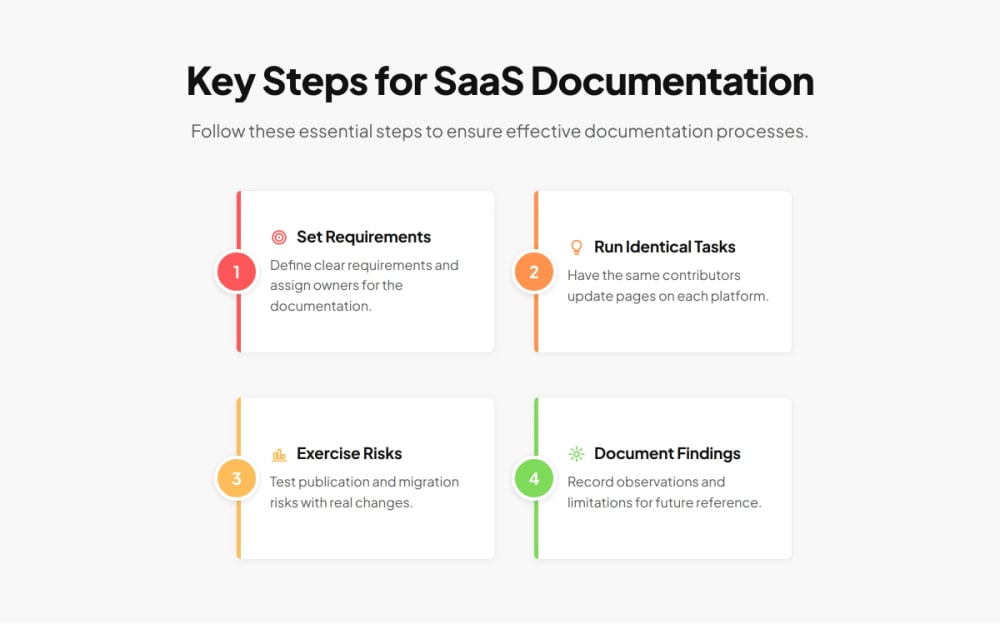
Have the same contributors update the same pages in each platform. Then ask a colleague unfamiliar with the release to follow the setup instructions and find the troubleshooting answer. Record completion, confusing steps, incorrect answers, and the evidence available to the reviewer.
Hold one change for a future release, introduce a conflicting edit, and practice correcting a published mistake. Record the actual configuration used. Verify imported links, code blocks, and page structure. For an existing site, use the documentation migration checklist to account for established URLs and post-migration checks.
Combine the completed scorecard with the annual cost worksheet. State which requirements each product met, what required a workaround, and what remains untested. Keep test notes and vendor quotations so another stakeholder can inspect the recommendation.
Favor GitBook when its writer-and-developer contribution model and available review workflow fit your team, and its required site, user, and AI package fits your budget. Favor Mintlify when its editor, Git publication path, API-oriented publishing, and configured agent workflow meet your requirements at an acceptable cost.
If neither clears a mandatory requirement, reopen the shortlist rather than relaxing the requirement silently. The GitBook alternatives shortlist covers the broader vendor-selection task.
Your next step: run one approved release through both candidates, then choose using the recorded review evidence and full-year cost. That gives the team a decision it can explain and a workflow it can maintain.
Start with the people who will update documentation and the approval path they need. Choose a representative release, define mandatory requirements, and establish a budget before assigning weights to optional features.
No. Check how branches, previews, reviews, and publication work in your configured project. Include a nontechnical contributor in the test so the recommendation reflects the whole maintenance team.
Map each allowance to the specific actions your team expects to use. Estimate questions, maintenance runs, and additional purchases separately. Equal credit totals do not establish equal capacity or equivalent results.
It can establish a shortlist and identify questions to test. It cannot verify your permissions, import quality, contributor experience, or answer accuracy. Treat the pilot in this article as a proposed method, not completed evidence.
Use a representative subset first. Include pages with navigation, code examples, and established links, then inspect import quality and URL handling before committing to a full migration.
Give the documentation owner responsibility for the recommendation, with product and engineering reviewers validating their requirements. Have the budget owner approve the full-year cost and record unresolved limitations before purchase.
Subscribe to Our Newsletter
Stay up to date with our latest news and updates.