
Made withHyperblog
Light |
120 / 8 / 0 |
5,000 |
$0 |
$540 |
At allowance | 220 / 16 / 10 | 10,000 | $0 | $540 |
Busy | 320 / 20 / 10 | 13,500 | $35 | $575 |
Docusaurus Cost Guide for SaaS Teams: Hosting, Search, and Maintenance
GitBook Pricing for SaaS Teams: Sites, Seats, and AI Usage
Best ReadMe Alternatives for Product and API Documentation
Mintlify Starter is free and lists five editor seats. Mintlify Pro costs $540 on monthly billing or $450 per month on annual billing, equivalent to $5,400 for a year before any extras. Enterprise is quote-based. For a SaaS team evaluating Pro, the useful budget starts with the subscription and adds the credit usage that exceeds the available balance, plus the work your team still has to do.
Prices and usage rules were checked on November 12, 2026, in USD. Hyperdocs publishes this guide. The worksheet uses hypothetical usage, without discounts, tax, or a negotiated contract. Use it to estimate your own bill rather than treating the examples as customer results.
Plan | Listed base price | Budget question |
Starter | $0 per month | Can five editors and the included publishing tools cover the job without ongoing AI credits? |
Pro | $540 monthly or $450 per month billed annually | How many credit-consuming actions will the organization generate, and how many Pro projects are needed? |
Enterprise | Vendor quote | Which controls, services, included credits, and overage terms are written into the agreement? |
Starter lists a custom domain, web editing, and the API playground. It can make sense for a small team publishing developer docs that does not need the Assistant or Autopilot. The ongoing Starter plan has no credit allowance, and Mintlify's credit documentation says you cannot buy credits on it. A trial can therefore give you a different workflow from the one you keep at $0.
Mintlify advertises a Pro trial with 5,000 credits that lasts up to 14 days. Before basing a decision on the trial, write down which tasks used paid-plan features. Try a week of edits and release review using only the features you expect to retain. That makes it easier to tell whether the free plan can support the operating process you intend to use.
At the listed rates, twelve monthly base payments total $6,480, compared with $5,400 at the annual rate. The difference is $1,080 in base subscription cost. Build the business case around the full commitment, even if your internal budget spreads it across twelve months. Put credits and internal labor on separate lines so reviewers can see what changes if usage grows.
Pro lists unlimited editor seats and includes 10,000 credits per month per Pro plan. Seat capacity and credit capacity solve different problems. Adding a reviewer does not, by itself, create an AI usage charge. A release that triggers more documentation updates can consume credits even if the team size stays the same.
Mintlify lists enterprise controls such as single sign-on and role-based permissions. Treat a required control as a decision condition before modeling a Pro subscription. Ask for the projects, credit commitments, support scope, overage terms, and renewal conditions in the quote. Leave unknowns as open line items; substituting a public Pro rate can hide an approval or purchasing dependency.
Compare Documentation Workflows
See how Hyperdocs and Mintlify approach drafting, review, and customer answers.
For a practical Pro estimate, count three things: Assistant answers that address a question, automatic Autopilot runs that open or update a pull request, and successful page narration generations. The documented rates are 25, 250, and 50 credits respectively. An Assistant response that says it could not answer costs zero under the stated billing rules. Autopilot work you request directly is unmetered under those rules, while separate eligible automation updates are charged at 250 credits.
The difference between a trigger and a billable result matters. A repository can receive many changes that leave public documentation intact. Count the updates that actually produce a billable result. If Autopilot splits work into parallel pieces that each open or update a pull request, count those pieces separately. For narration, use successful generations, including regeneration after an eligible page changes, rather than treating every playback as a new charge.
Mintlify documents a shared organization balance across projects, with optional allocations to reserve credits for individual projects. That means an organization's public Assistant and its release workflow can draw from the same pool. If a team runs several projects, verify which projects contribute credits, what has been reserved, and whether a large launch could leave another project short.
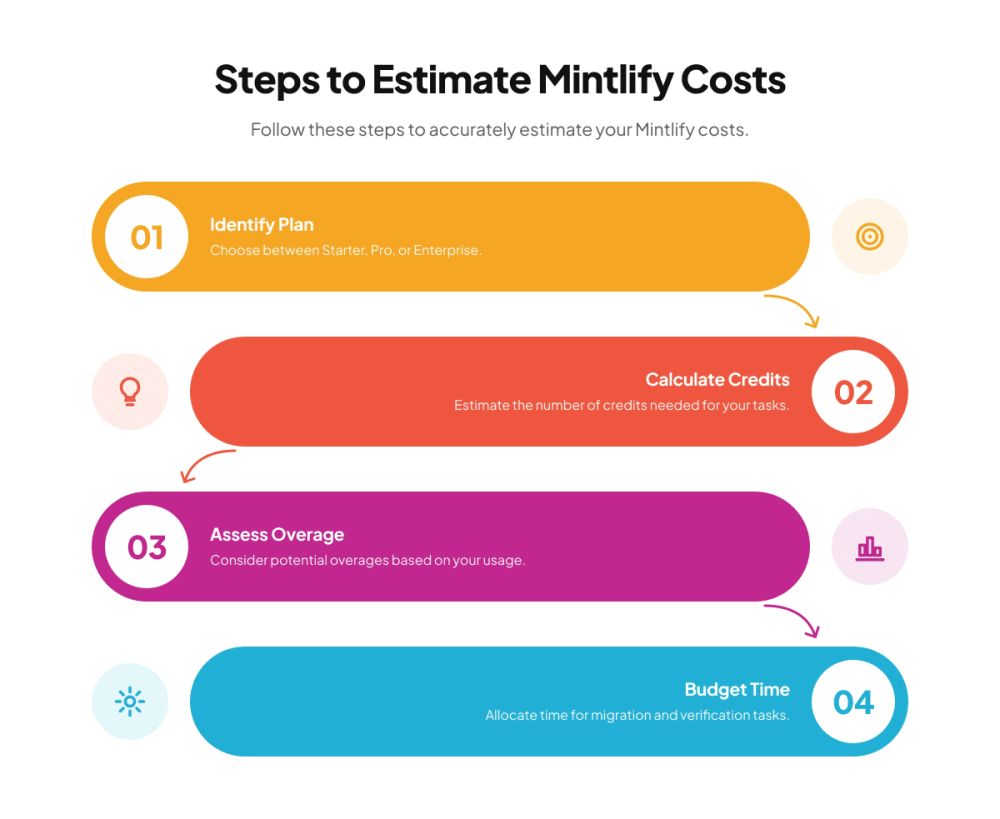
The model below assumes one Pro plan, its 10,000 included monthly credits, no rollover or add-on credits, and enough enabled overage capacity to cover the busy scenario. Enter the count of billable actions you expect to occur, then multiply by their documented rates. Replace the examples with counts from your own activity log when you have one.
Illustrative month | Answers / automatic updates / narrations | Total credits | Overage | Monthly plan bill |
Use these equations: credits used = 25 × answers + 250 × billable updates + 50 × narrations. Credits above allowance = the greater of zero or credits used minus credits available. Standard overage cost = credits above allowance × $0.01, provided the relevant project allows it and has sufficient spending headroom.
In the busy example, 8,000 credits go to answers, 5,000 to updates, and 500 to narration. That leaves 3,500 above the included 10,000, for a modeled $35 in overages. For an annual subscriber the equivalent monthly base plus overage is $485; the $450 is an annual-billing equivalent, not a new monthly base charge. The example models that one month, so it does not assume the same overage every month of the contract.
Check how the budget changes when the mix changes. In this model, 100 additional billable Assistant answers use 2,500 credits, the same as ten qualifying updates. If your base usage already consumes the allowance, either increase adds $25 at standard overage rates. If you have 2,500 usable credits left, neither increase creates a new charge. Run both sensitivities before treating the busy-month estimate as a spending ceiling.
The credit documentation says overages are off by default and can be enabled per project. With overages off, credit-powered features pause when available credits run out. When modeling a cap, account for the service impact as well as the dollars. A low cap can be appropriate for a sandbox and unsuitable for the primary documentation site during a launch.
A recurring credit add-on makes more sense to evaluate when excess usage is predictable. Mintlify currently documents a 15,000-credit add-on at $145 per month. Compare that fixed cost with your expected excess: paying $35 for the occasional busy month in the worksheet costs less than paying $145 for an add-on that month. With 15,000 extra credits consumed every month, the same usage would cost $150 in standard overages, before considering any rollover, allocation, or contract differences. Confirm the price in the dashboard before choosing.
Use a baseline month, a release month, and a month with reduced usage. Check the organization balance and each project's allocation before a major release. Rollover can help with temporary spikes, but use only the amount actually available in your account rather than assuming all unused credits will carry forward.
A subscription does not estimate the time to map existing URLs, clean up content, check API examples, or confirm that readers can still find old links. Estimate those as one-time tasks, with an owner for each. A documentation migration checklist can help you identify redirect and validation work before you commit to a move.
Assign time to verify technical instructions, review suggested updates, and correct published answers or content. One simple planning line is reviewer hours per month × your internal hourly cost. For example, six hours at an illustrative $80 per hour adds $480 in internal effort. It does not change the vendor invoice. Separating those numbers helps finance distinguish cash spend from capacity the team needs to reserve.
Put every option on the same footing: number of projects, editors, required controls, expected answers and updates, migration effort, and recurring review time. Credit units differ by product, so compare the cost of doing the same job. The GitBook versus Mintlify comparison covers the broader two-platform decision; use this worksheet to update the Mintlify budget assumptions from current terms.
If you need a broader set of options, start with the Mintlify alternatives shortlist. Keep this worksheet focused on the commitment you would make to Mintlify and the service you expect in return. Before approval, name who monitors usage and who decides whether to pay for extra capacity or let credit-powered work pause.
Mintlify's published pricing is the source for plan prices, editor allowances, and the trial. Its credit pricing reference defines billable events, shared balances, add-ons, and spending controls. Both were checked on November 12, 2026.
The $450 rate is a monthly equivalent for annual billing. The published month-to-month rate is $540. Check your checkout or order form for the amount due and the billing date.
Mintlify's credit reference says Starter does not include credits and cannot buy them. Ongoing Assistant usage requires an eligible paid plan.
The published rule assigns zero credits when the Assistant cannot answer and says so. An answer that addresses the question is billed at 25 credits.
No. The current reference charges 250 credits for an autonomous run that opens or updates a pull request. Work requested directly from Autopilot is not charged under that rule.
Start with the combined contribution of the two plans, then use the organization's available balance and each project's allocations and overage settings. Measure usage by project so one workload does not obscure another.
Keep internal review, migration, and maintenance labor on separate lines. They matter to total operating cost, but the vendor invoice should reflect subscription fees, applicable credits or add-ons, taxes, and contract terms.
Subscribe to Our Newsletter
Stay up to date with our latest news and updates.
Light |
120 / 8 / 0 |
5,000 |
$0 |
$540 |
At allowance | 220 / 16 / 10 | 10,000 | $0 | $540 |
Busy | 320 / 20 / 10 | 13,500 | $35 | $575 |