Mintlify vs Hyperdocs
Mintlify is a good starting point. But as your SaaS ships faster, adds users, and grows teams, your documentation needs to evolve with it. Hyperdocs connects to your product, keeps docs current after every release, answers users live, and scales from free to $39/month.
Mintlify publishes your docs.
Hyperdocs keeps Docs alive.
Most documentation platforms give you a great-looking site on day one. But SaaS products don't stay stable — and every release creates documentation debt. The real problem isn't publishing. It's maintenance.
Docs that fall behind create real damage
Outdated documentation means confused users, more support tickets, slower onboarding, and lower product trust. Every release without a doc update is debt that compounds.
Manual maintenance doesn't scale
When your team ships weekly, manually tracking which docs need updating after each release becomes a full-time job. Most teams can't afford that — so docs get stale.
Your docs should move when your product moves
Hyperdocs connects to your product through GitHub, detects what changed, and drafts the documentation updates your team needs to review. Docs stay current — automatically.
Mintlify or Hyperdocs. Choose the platform that fits how your SaaS grows.
Mintlify may work if...
- Your documentation is primarily developer-facing and API-first
- Your team is small and docs don't change frequently
- You want interactive API playgrounds from OpenAPI schemas
- You're comfortable managing docs manually as your product evolves
Hyperdocs is the better fit if...
- You need docs that update automatically after every product release
- Your whole team — product, support, CS, engineering — needs to contribute
- You want GitHub Sync, Answer Agent, and all doc surfaces in one place
- You want to scale from free to $39/month, not $450–$540
- You want docs that rank in Google and show up in ChatGPT and Perplexity
How Hyperdocs scales with your SaaS — from first docs to full documentation system.
Most tools are built for one moment. Hyperdocs is designed to be more useful as your product grows.
Launch your first docs faster — without starting from a blank page.
You have a product. You don't have documentation. And you don't have time to write it all from scratch. Connect your GitHub repo and Hyperdocs generates your first structured documentation drafts from your codebase. Product docs, setup guides, API references — all as editable drafts your team can review and publish. Free plan. First docs live in hours.
Connect your GitHub repo
Choose the codebase you want Hyperdocs to understand.
Generate draft documentation
Product docs, setup guides, and API references created as editable drafts.
Review, edit, and publish
Your team approves every page before it goes live. Nothing published without review.
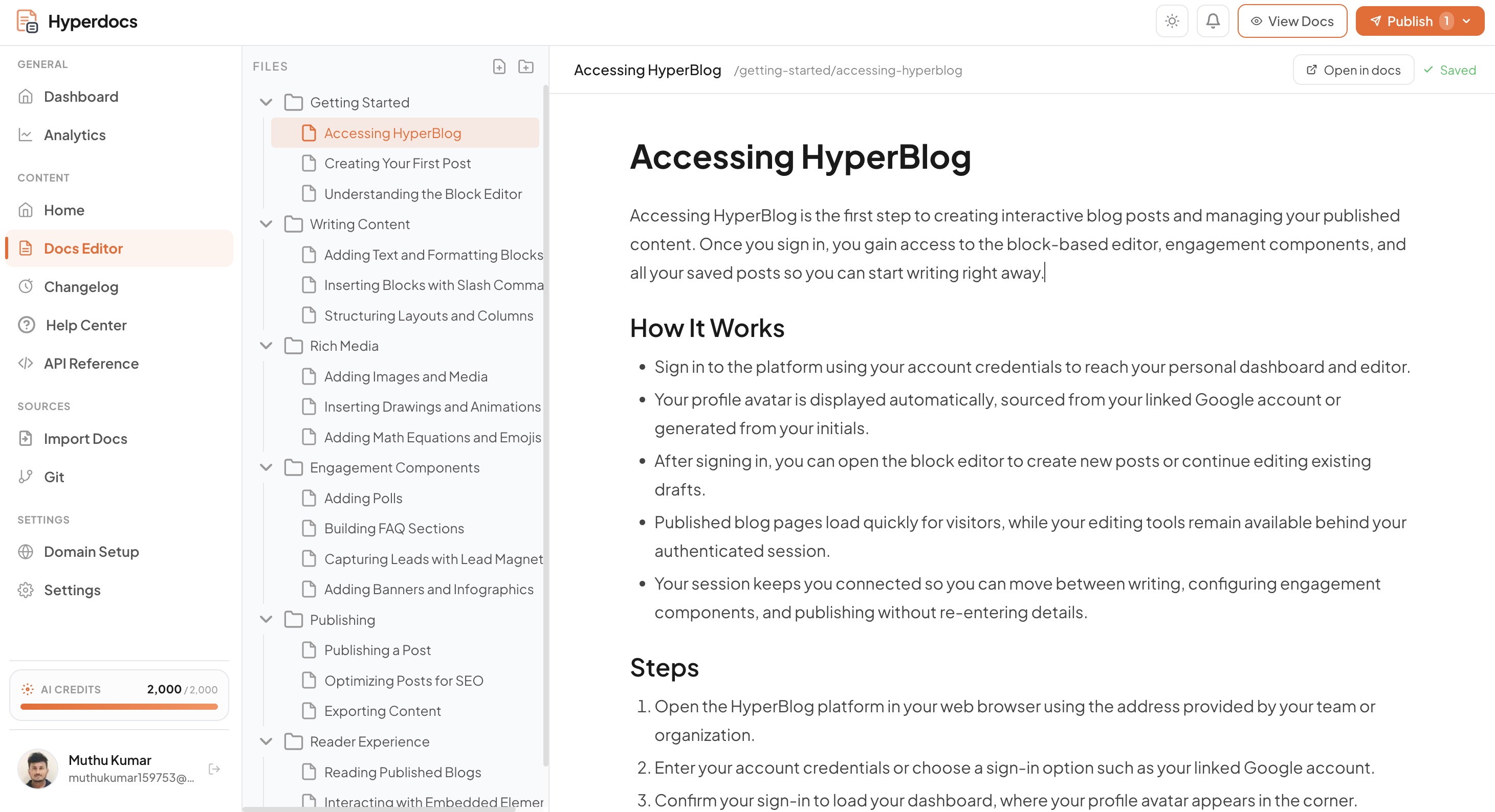
Keep your docs updated as your product ships — automatically.
Your product is moving fast. Features change. APIs evolve. UI updates. Every release without a doc update is debt building silently. GitHub Sync detects what changed in your codebase, identifies which docs are affected, and drafts the updates for your team to review and approve. No chasing releases. No documentation debt.
Your team ships code to GitHub
Any update — feature, fix, API change, UI update.
Hyperdocs scans what changed
GitHub Sync identifies which documentation pages are affected.
Drafts ready for your team to review
Accept, edit, or dismiss — you control what gets published.
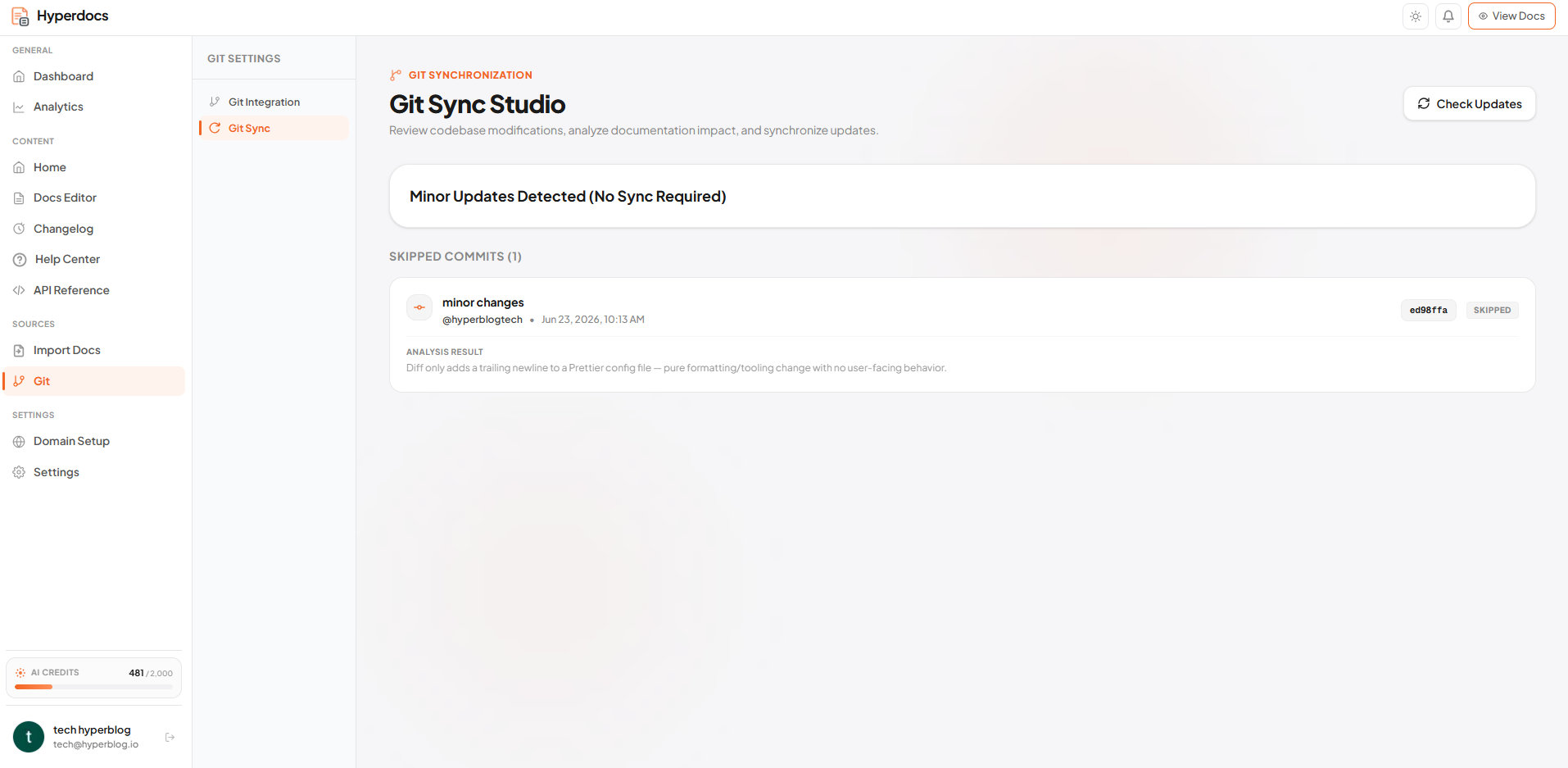
Answer users live and understand exactly what your docs are missing.
More users means more questions. Answer Agent responds to user queries directly inside your documentation — in real time, with accurate answers pulled from your content. Your support team handles fewer repetitive tickets. Users get answers faster. And as you scale, Intelligent Agent surfaces what users are looking for but not finding.
Answer Agent handles user questions live
Users ask, Answer Agent responds — directly from your docs.
Intelligent Agent identifies gaps
Analyzes patterns to show your team what to write next.
Support tickets drop
Users self-serve. Your team focuses on building, not answering the same questions.
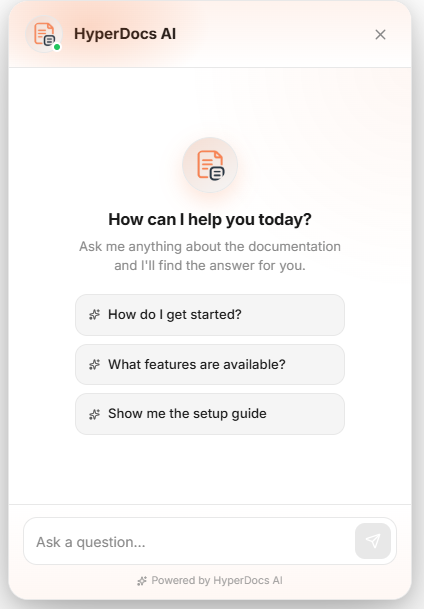
Turn your documentation into a growth channel, not just a support page.
At scale, documentation becomes one of your most valuable product assets. It onboards users without your team being involved. It answers questions before users open tickets. And when built right — it ranks in Google and gets referenced by AI tools, bringing new users to your product organically. Hyperdocs publishes SEO-structured, LLM-friendly documentation that stays current and keeps working for you.
Docs that rank in search
SEO-ready structure, metadata, and fast pages built in from day one.
Referenced by AI tools
ChatGPT, Perplexity, and others surface your docs in their answers.
Full team ownership
One workspace, every surface — product, support, and engineering all contribute.
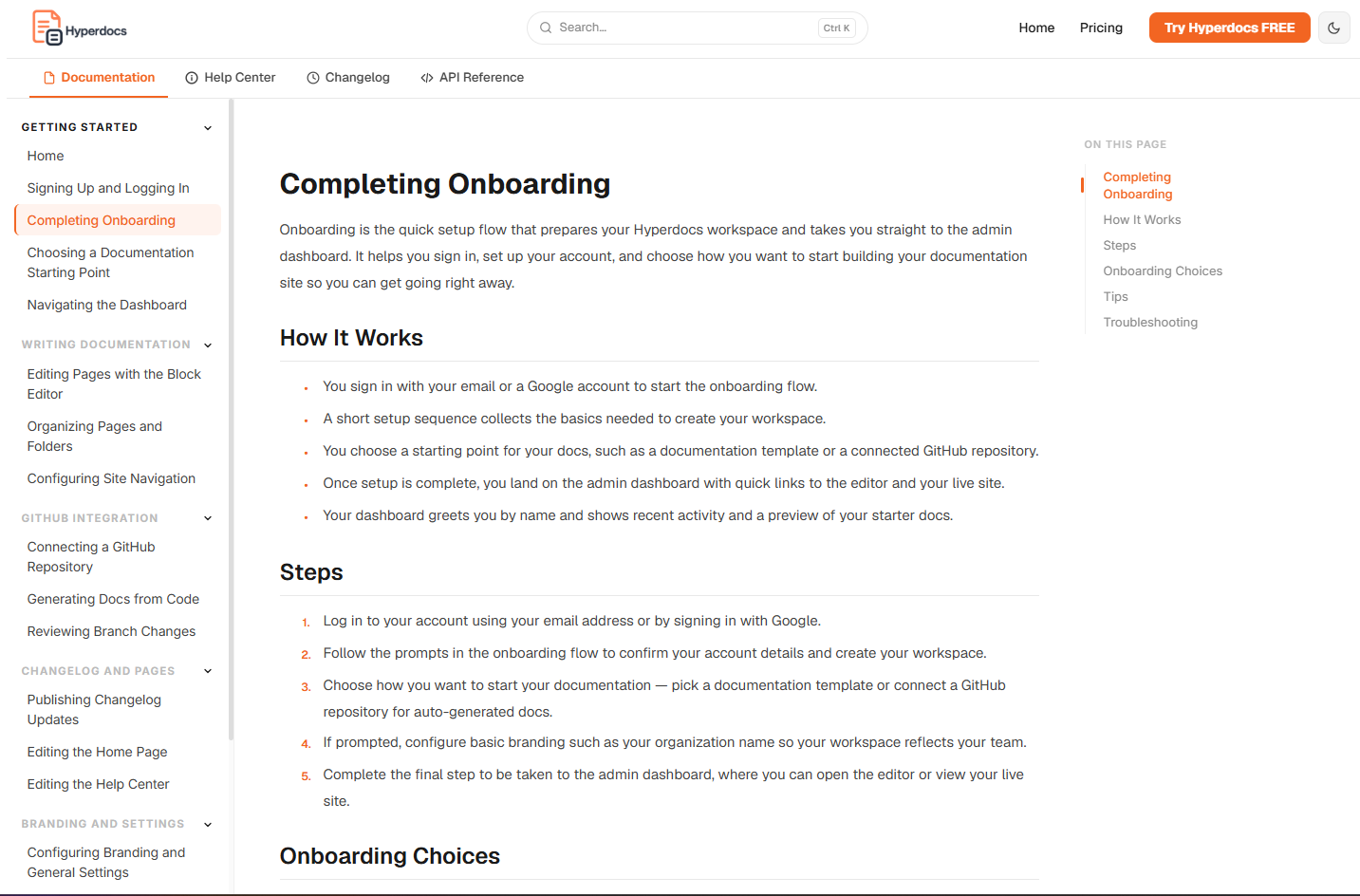
Why Hyperdocs docs work harder than a Mintlify docs site.
Mintlify gives you a well-designed site. Hyperdocs gives you a documentation system with intelligence built in — agents that answer, update, write, and analyse.
Answer Agent
Users land on your docs with questions. Answer Agent responds in real time — pulling accurate answers directly from your content. Not a keyword search. A live AI answer layer built into every page. Fewer support tickets. Faster user activation.
GitHub Sync
Every time your team ships code, Hyperdocs scans what changed, identifies which docs are affected, and drafts the updates for review. You approve. It publishes. Documentation debt stops building up silently after every release.
Docs Agent
New feature shipped? Documentation gap identified? Docs Agent drafts the content. Your team reviews, edits, and approves — but the blank page problem is already solved. Documentation keeps pace with your product.
Intelligent Agent
As your documentation grows, understanding what users are searching for but not finding becomes valuable. Intelligent Agent is being built to surface exactly that — analyzing usage patterns and Answer Agent conversations to show your team where the gaps are.
Your Hyperdocs documentation ranks where Mintlify docs get left behind.
Most SaaS teams build documentation for users who are already inside the product. That's half the value. Your docs can also rank in Google and show up in AI tools — bringing new users to you.
SEO-ready documentation out of the box
Clean URL structure, proper metadata, fast page load, and search-engine-friendly formatting. Every page built to rank — not just to exist.
LLM and AI search visibility
ChatGPT, Perplexity, and other AI tools increasingly answer queries by referencing product documentation. Hyperdocs structures your docs so AI crawlers can understand and surface your content — even before users visit your site.
Current docs rank. Stale docs don't.
Search engines and AI tools deprioritize outdated content. Because Hyperdocs keeps docs current through GitHub Sync, your documentation stays accurate, visible, and working for you over time.
"Good documentation doesn't just help users who are already in your product. It brings in users who haven't found you yet."
Start free. Scale when you're ready.
GitHub Sync, Answer Agent, product docs, help center, API docs, and changelog — all included on the free plan. Paid plans from $39/month.
Mintlify starts free. Hyperdocs stays affordable as you scale.
Mintlify's free plan is why most small SaaS teams start there. Here's the pattern that plays out as they grow.
The free plan works... until you need more
Basic docs look great on Mintlify's free plan. But the moment your team needs a custom domain, collaboration features, or meaningful AI capabilities — you're looking at the next pricing tier.
The jump to team features is expensive
Features SaaS teams need as standard — custom domains, team collaboration, advanced AI — require higher plans that can cost $450–$540 per month. A significant documentation spend before your product has reached scale.
By the time you feel it, switching feels hard
Your docs are already built. Your team knows the workflow. Migrating feels like a project. So teams stay — and pay more than they should for a tool they've outgrown.
Hyperdocs is built so this doesn't happen to you.
Start free with GitHub Sync, Answer Agent, product docs, help center, API docs, and changelog included. When you need more — paid plans scale with you.No pricing wall when your SaaS starts growing.
A free plan that gives SaaS teams more than Mintlify's free tier.
Most platforms offer a free plan with just enough to get started — then charge for everything useful. Hyperdocs is different.
All Four Doc Surfaces
Product docs, help center, API docs, and changelog — all from day one. No plan upgrade needed.
GitHub Sync
Detect product changes and draft doc updates automatically. Included on the free plan — not locked behind enterprise.
Answer Agent
Users ask questions and get real-time AI answers from your docs. Reduces support load from day one.
Easy Migration
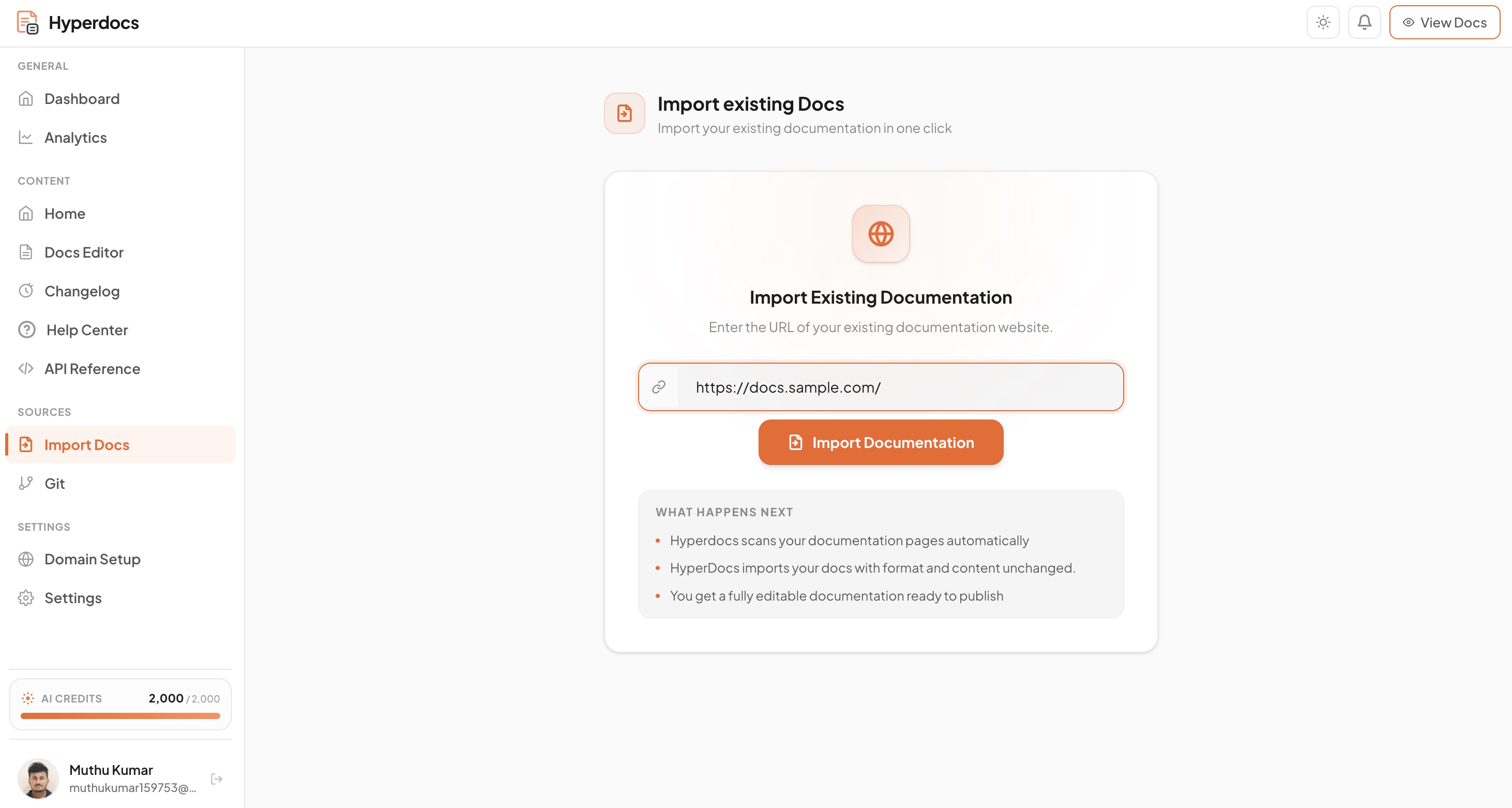
Already on Mintlify? Import your existing docs on the free plan. Evaluate fully before spending anything.
Docs Audit
Use exploration credits for a manual Docs Audit, then scale into recurring and scheduled audits on paid plans. Find undocumented areas, outdated claims, and your documentation health score against the connected codebase.
Multilingual
Start with one language, then add more as your plan grows. Review translations as drafts, publish each language independently, and let Answer Agent reply in the language a visitor is reading.
Advanced features, higher usage limits, and growth-stage capabilities on paid plans from $39/month. See all plans →
Hyperdocs vs Mintlify — what SaaS teams actually need to know.
A straightforward comparison. Built to help you make the right call — not to oversell.
Swipe or scroll horizontally to compare all columns.
| Capability | Mintlify | Hyperdocs |
|---|---|---|
| Primary fit | Developer-first, API-first teams | SaaS teams at every growth stage |
| Free plan | Limited features | GitHub Sync, Answer Agent, all surfaces |
| Paid plan starts at | $450–$540/month for team features | $39/month |
| GitHub Sync | Git-based storage, no change detection | Detects changes, drafts updates, team reviews |
| Answer Agent | AI search | Live AI answers from your documentation |
| Intelligent Agent | Not available | In development — gap analysis & doc insights |
| Docs Agent | Not available | Draft content for team review |
| Code to Docs | Not available | Generate doc drafts from your GitHub repo |
| Help Center | Not purpose-built | Native — built for self-service support |
| Changelog | Not a core feature | Core feature — release notes & product updates |
| Migration | Manual process | One-click Easy Migration — free plan |
| SEO-ready publishing | Available | Built-in structure, metadata, fast pages |
| LLM / AI visibility | Basic | Structured for AI tools and answer engines |
| Non-dev collaboration | Developer-led workflow required | Product, support, CS, engineering — all contribute |
| Scales without pricing trap | No | Yes, free to $39/month |
Comparison based on publicly available information. Features and pricing can change — verify before making a final decision.
Where Hyperdocs fits better than Mintlify for growing SaaS teams.
Moving from Mintlify to Hyperdocs. One click, free plan, no risk.
Switching platforms feels risky when your docs are live. But staying on a platform that charges enterprise pricing for team features costs more over time. Here's how easy it is.
Import your existing Mintlify docs
Easy Migration brings your documentation into Hyperdocs in one click. Structure preserved. Not starting over.
Review, improve, and fill gaps
Clean up pages, update outdated content, and see what Hyperdocs surfaces as gaps — before you relaunch.
Publish under your brand on your domain
Custom domain, logo, colors, nav, header, and footer. Your docs feel native to your product from day one.
✓ Migration available on the free plan — move your docs, explore the full system, decide without pressure.
Questions about Hyperdocs as a Mintlify alternative.
What is the best Mintlify alternative for SaaS teams?
How is Hyperdocs different from Mintlify?
Is Hyperdocs really free like Mintlify?
Why do growing SaaS teams look for a Mintlify alternative?
Can Hyperdocs keep documentation updated after code changes?
How does Hyperdocs help with SEO and AI search compared to Mintlify?
Can I migrate from Mintlify to Hyperdocs?
Who should choose Hyperdocs over Mintlify?
Documentation that works as hard as your product does.
Start free. Get GitHub Sync, Answer Agent, product docs, help center, API docs, and changelog from day one. Scale at $39/month when you're ready — no enterprise pricing trap, no documentation debt building up quietly in the background.
Free plan · No credit card required · Migration included free