HyperdocsHyperdocs
Skip to content
AI Knowledgebase for Saas

AI knowledge base for your customers

Give customers a place to understand your product and get answers. Bring your guides together, let AI help with the writing, and turn published knowledge into help they can ask for.

Start with your content. Your team decides what goes live.

Your AI knowledge baseExplore the workflow
Product guidesExplain how your product works01
Setup instructionsHelp customers take the first step02
TroubleshootingMake the next action clear03
One useful knowledge baseOrganized for your customers

Turn the knowledge your team already has into guidance customers can use.

Click a step to explore
Built around your customers’ next step

Less searching.
More understanding.

An AI knowledge base starts with useful product knowledge. Give customers a clear path through setup, everyday tasks, and the moments when something does not work as expected.

01 / GET STARTED

Make the first step easier

Bring setup instructions, prerequisites, and integration guides together so new customers know where to begin.

02 / GET IT DONE

Turn guidance into progress

Explain the workflows customers come back to. Give them the steps and context to use your product with confidence.

03 / GET UNSTUCK

Make the next action clear

Answer common troubleshooting questions and explain when it is time to reach your support team.

Your knowledge, a conversation away

An AI knowledge base customers can ask.

They have a question. Your published guidance gives Answer Agent the knowledge to respond.

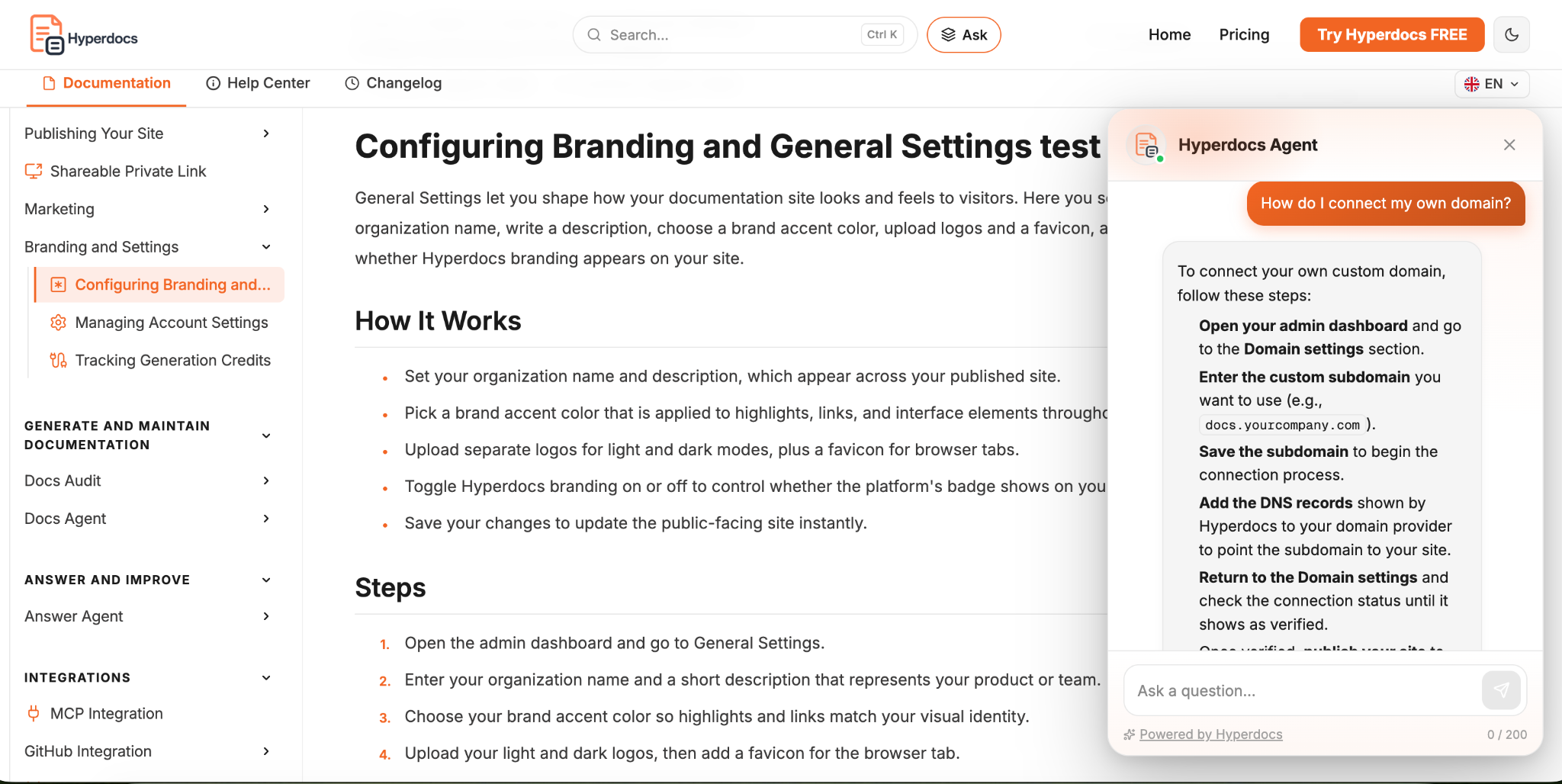
Customers can ask in their own words while reading a guide. In this real conversation, Answer Agent walks through connecting a domain, from entering a subdomain to checking verification.

Keep your source content useful and current. Configure a support contact or fallback for questions the documentation does not resolve.

Real product conversation.
Answers drawn from published documentation.
Inside HyperdocsCustomer question → answer
Real Answer Agent conversation showing the domain setup question and a response with subdomain, DNS, and verification steps.
View the full conversation in context
One knowledge base. Wherever they need it.

Bring answers into the customer’s workflow

Your AI knowledge base can support customers in your docs, on your website, and inside your product. The published knowledge stays at the center.

A question while reading a guide

Let customers ask for help without leaving the documentation experience.

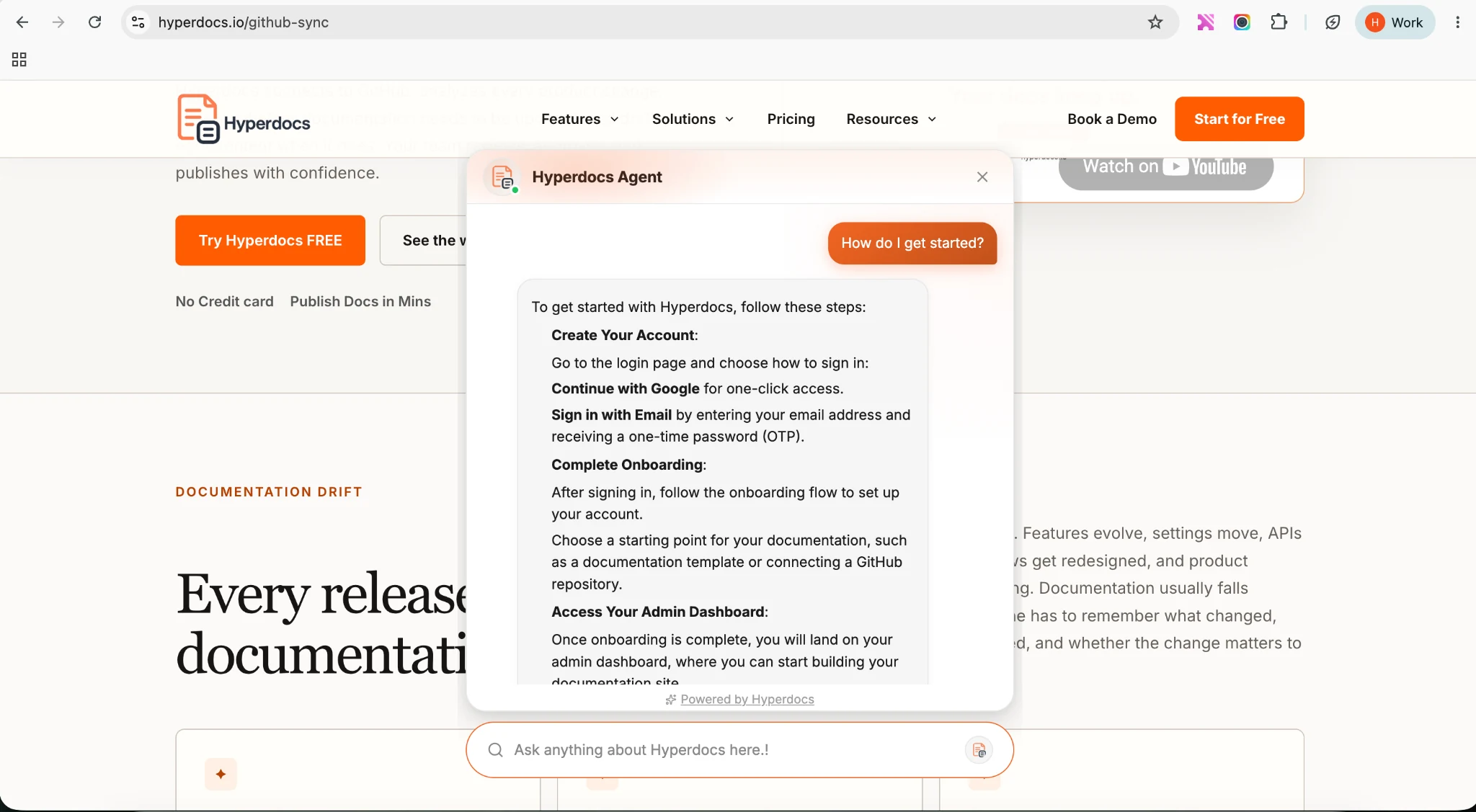
Answer Agent open alongside published Hyperdocs documentation.Enlarge screenshot
Start where you are

Build your AI knowledge base
from what you already know

A few useful guides can be your starting point. Choose the path that fits your team, then organize and publish the knowledge your customers need.

A clear first collection

Your expertise is enough to begin.

Write with the editor and organize your guidance around the customer’s task. Start with setup, a common workflow, and the questions your team hears most often.

  1. Write the guidance customers need first.
  2. Organize it into a clear reading path.
  3. Review and publish your first collection.

No GitHub connection required.

Start building your knowledge base
Useful today. Ready for the next release.

Keep your AI knowledge base
close to your product

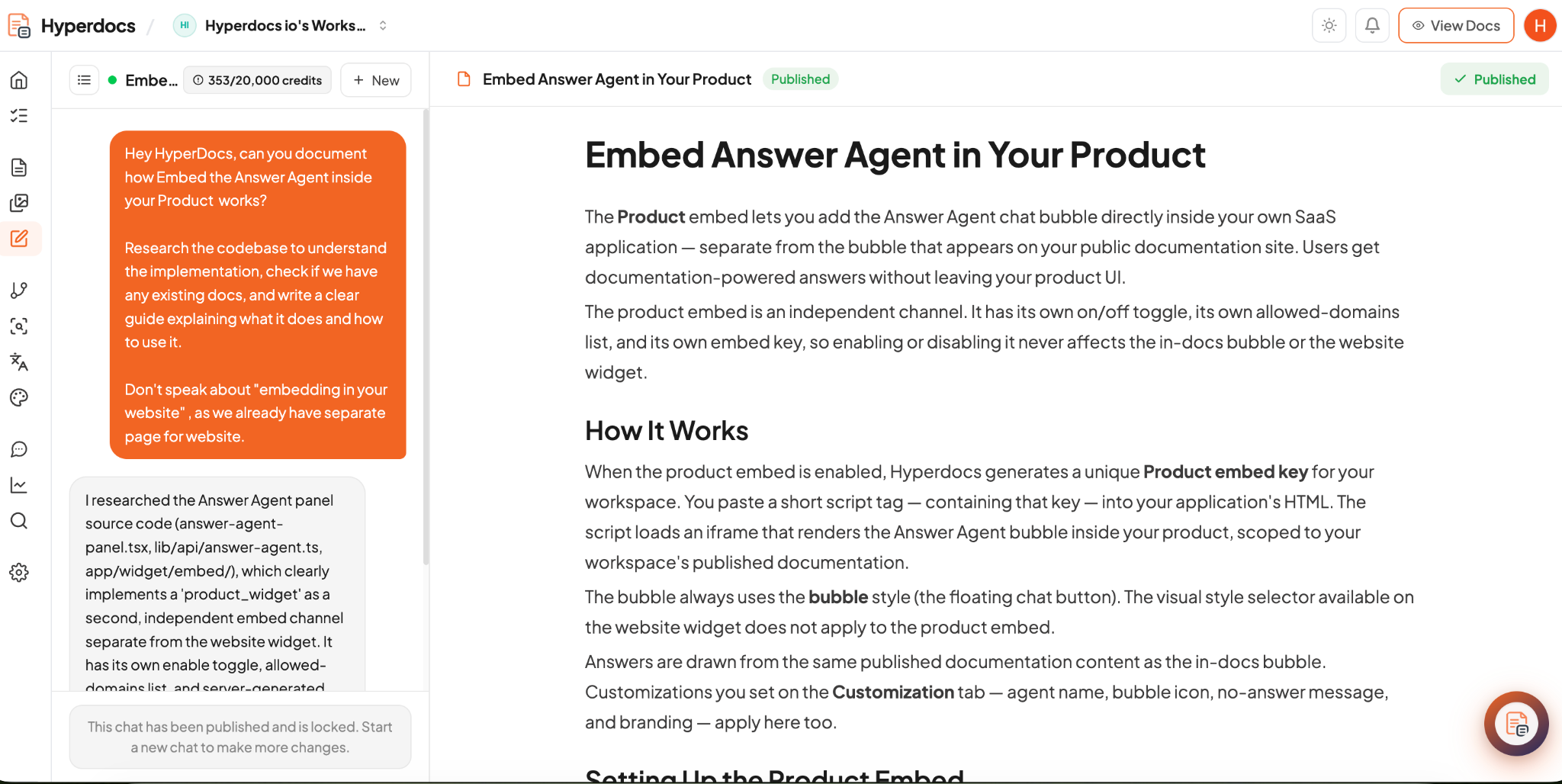
When the product changes, the explanation may need to change too. Use AI assistance to draft missing guidance and revise existing articles, then check the result before publishing.

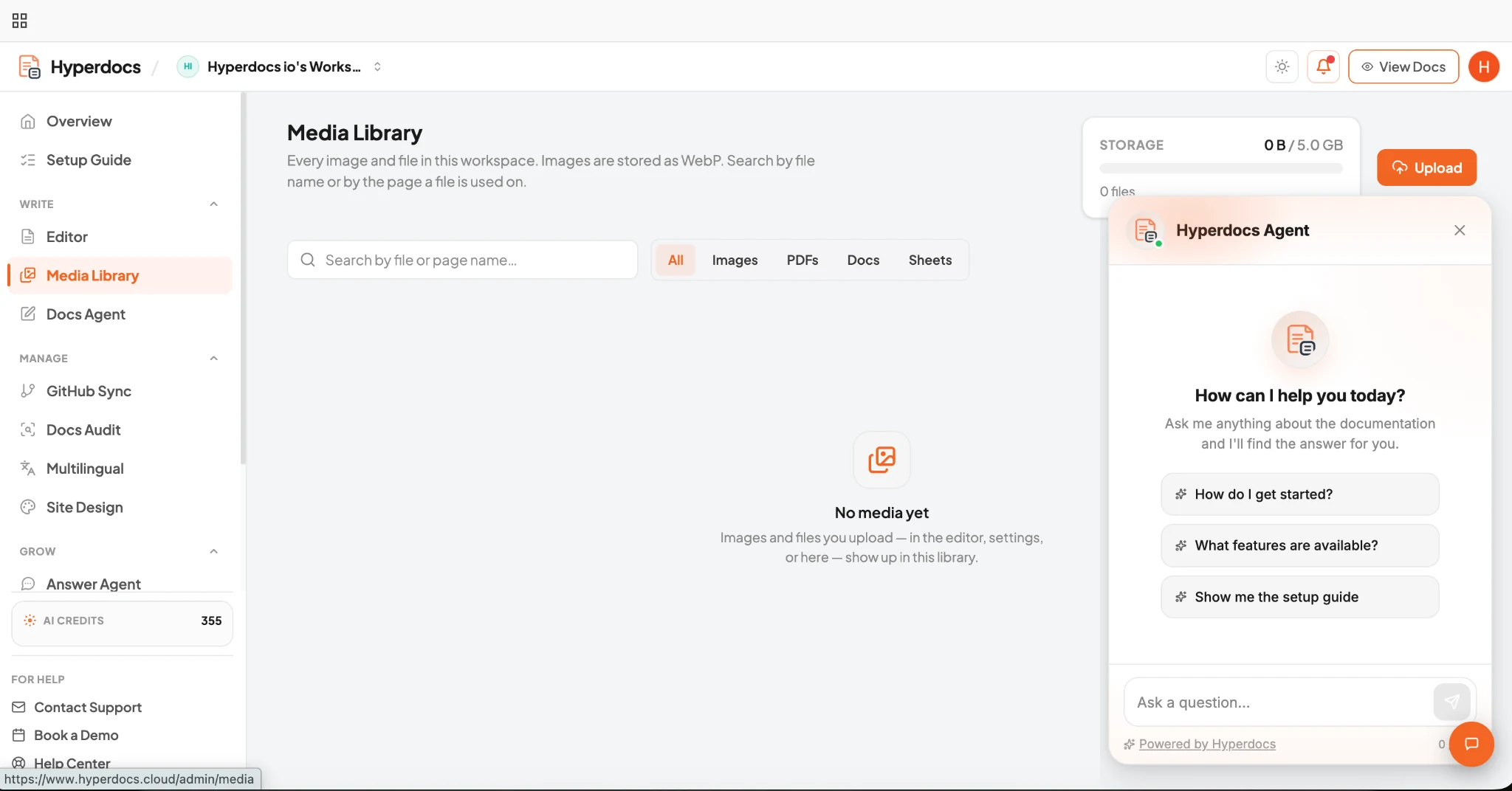
Docs Agent conversation alongside the completed, published guide Embed Answer Agent in Your Product.Explore the product screenshot
From a documentation request to a published product guide. A real Hyperdocs example.
FIND WHAT NEEDS WORK

Notice gaps and changes

With GitHub connected, compare docs with code and identify guidance affected by repository changes.

IMPROVE THE EXPLANATION

Give your team a starting point

Use Docs Agent to draft a missing answer or revise an article. Add the context your customers need.

KEEP CONTROL

Review, then publish

Check the instructions against your product and publish when they are ready for customers to use.

Let customer questions guide the next update

A knowledge base that gets more useful with your team

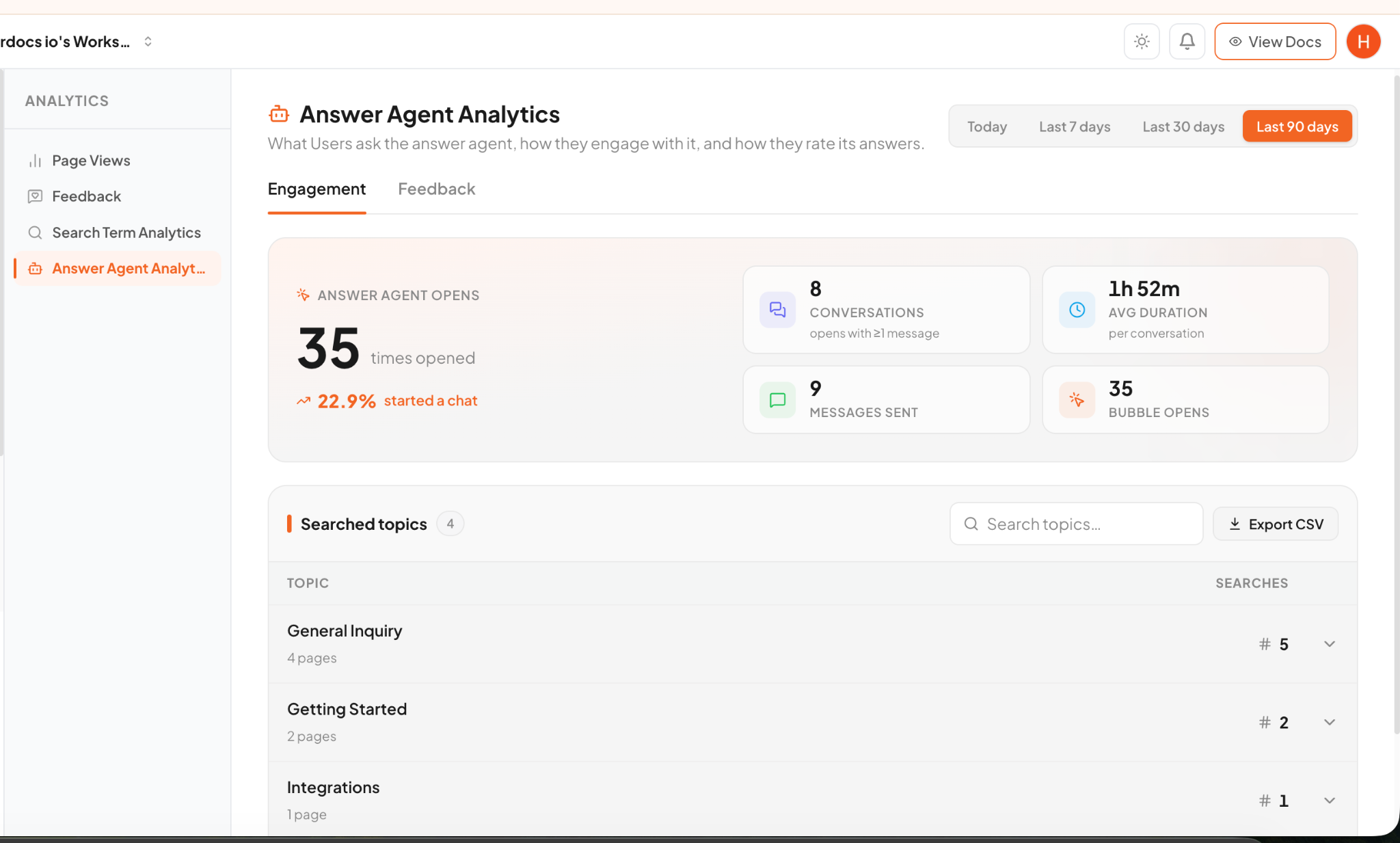
Question topics, conversations, and feedback help you decide what to explain next. Turn a recurring question into a clearer step, a useful example, or a new article.

Question → content improvement

Repeated setup questions can point to a missing prerequisite. Clarify it once in your knowledge base so the next customer has better guidance.

Answer Agent analytics showing conversation activity and question topics in Hyperdocs.Explore analytics
Example workspace data showing conversation activity and topics.
Useful knowledge, within reach

Help more customers find their way

Speak your customers’ languages

Prepare multilingual guidance, review translations, and publish the versions your customers need.

Make your public knowledge discoverable

Give customers clear, organized public content to find through search, with supported resources for AI agents to use.

Before you start

Your AI knowledge base questions, answered

A few details about the content, AI assistance, and customer experience.

What makes this an AI knowledge base?

It combines published product knowledge with AI tools that help create and improve content, plus Answer Agent for questions about that content. Customers can browse articles or ask a question, while your team manages what gets published.

How is it related to a help center?

The knowledge base is the collection of guidance. A help center is one way to organize and present that guidance to customers. Hyperdocs supports both within the same platform; this page does not describe a separate knowledge base product.

Do we need GitHub to get started?

No. You can write with the editor or import a supported public documentation site. A GitHub connection is needed for code-based generation, repository comparisons, and maintenance workflows that use GitHub changes.

What content does Answer Agent use?

Answer Agent draws answers from the workspace’s published documentation. The website and product embeds use that published knowledge too. They do not automatically read live customer account data or arbitrary uploaded files.

Can our team review AI-generated content before publishing?

Yes. Generated content can be reviewed and edited before publication. Check the instructions, add missing customer context, and publish when your team is ready. AI assistance does not replace checking the content against your product.

Is this for an internal employee knowledge base?

This page describes a customer-facing product knowledge base. It does not promise an internal employee wiki, permission-aware enterprise search, or retrieval across private company systems. For your customer documentation and help content, start with the workflows shown here.

Start with your customers’ next question

Create your AI knowledge base.
Give your customers a place to turn.

Bring your product knowledge together. Help customers understand it, ask about it, and put it to work.

Hyperdocs · Product view

Scroll to explore the screenshot. Press Escape to close.